
Desktop calendar
Choose a 1–6 week view, starting weekday, week numbers, lunar dates, seasonal markers, colors and print layout.
ONHARU places your calendar on the Windows desktop—behind desktop icons and always close at hand. Keep private plans on your PC, and connect Google Calendar and Google Tasks only when you choose.
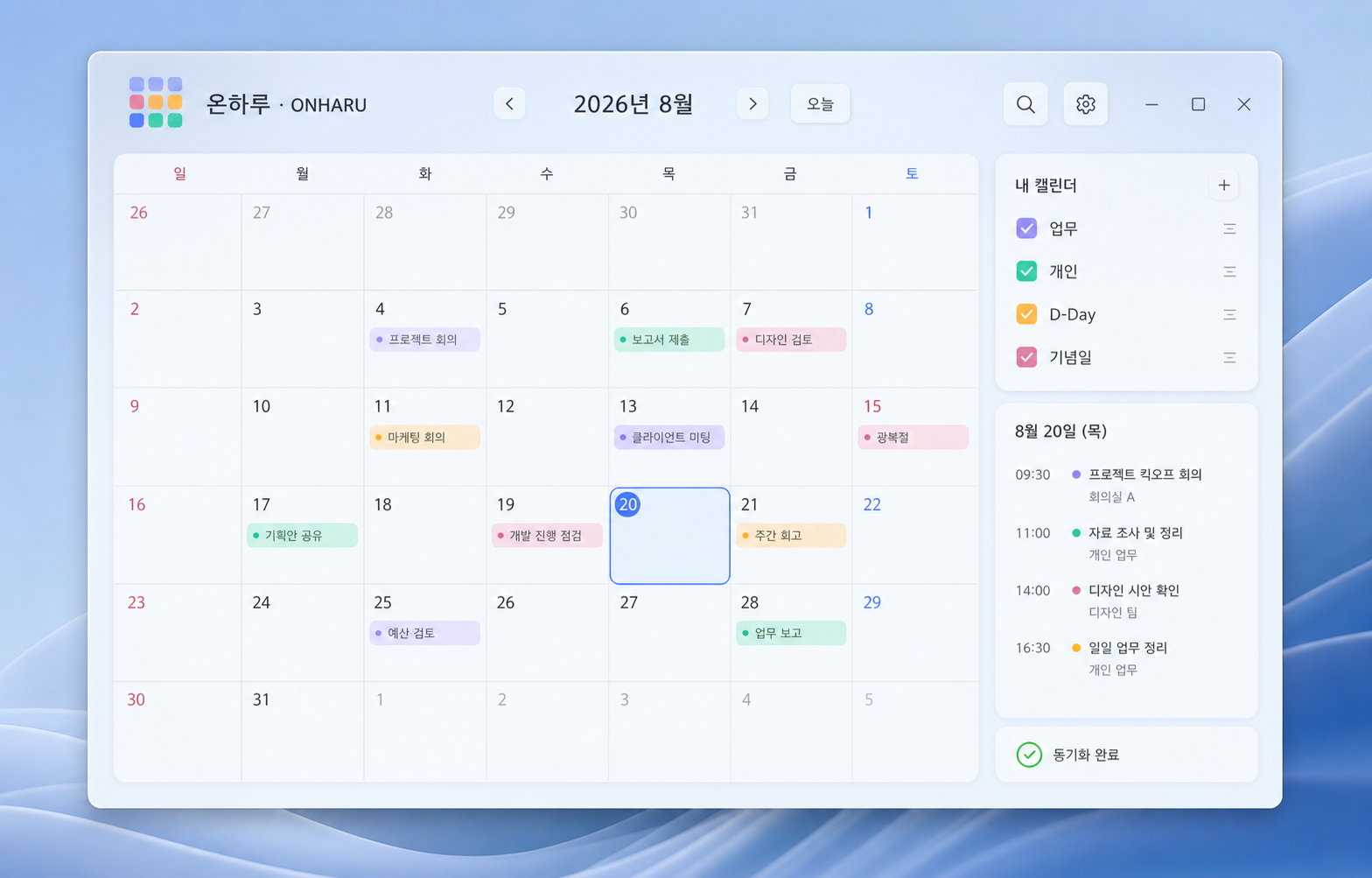
A desktop calendar designed for quick reading, dependable local storage and optional cloud sync.
Choose a 1–6 week view, starting weekday, week numbers, lunar dates, seasonal markers, colors and print layout.
Local schedules and settings stay on this Windows PC. Back up and restore them with JSON, or exchange calendar data with ICS and CSV.
View and edit calendars you authorize, and optionally manage Google Tasks. ONHARU does not relay Google schedule data through its own server.
Track completed work, carry unfinished Todo items forward, and create daily, weekly, monthly, yearly and holiday-aware recurrence rules.
Keep deadlines, important dates, alarms, timers and an independent timetable beside your main calendar.
Use a bright pastel theme or a high-contrast black theme, with adjustable opacity and carefully separated schedule colors.
There is no ONHARU membership account or central schedule database. Google access is used only for the synchronization you request, and Google data is never used for advertising.